
The terminal
The terminal at a glance
New pump.fun tokens, live, in three columns. A first buy from a card comes from a fresh wallet; buying more of a token you hold adds from its wallet.
This page is in English.
Open Terminal in the menu. The screen reads "Every pump.fun token, live. Every buy from a fresh wallet nobody can follow." You can watch it without an account; buying needs one.
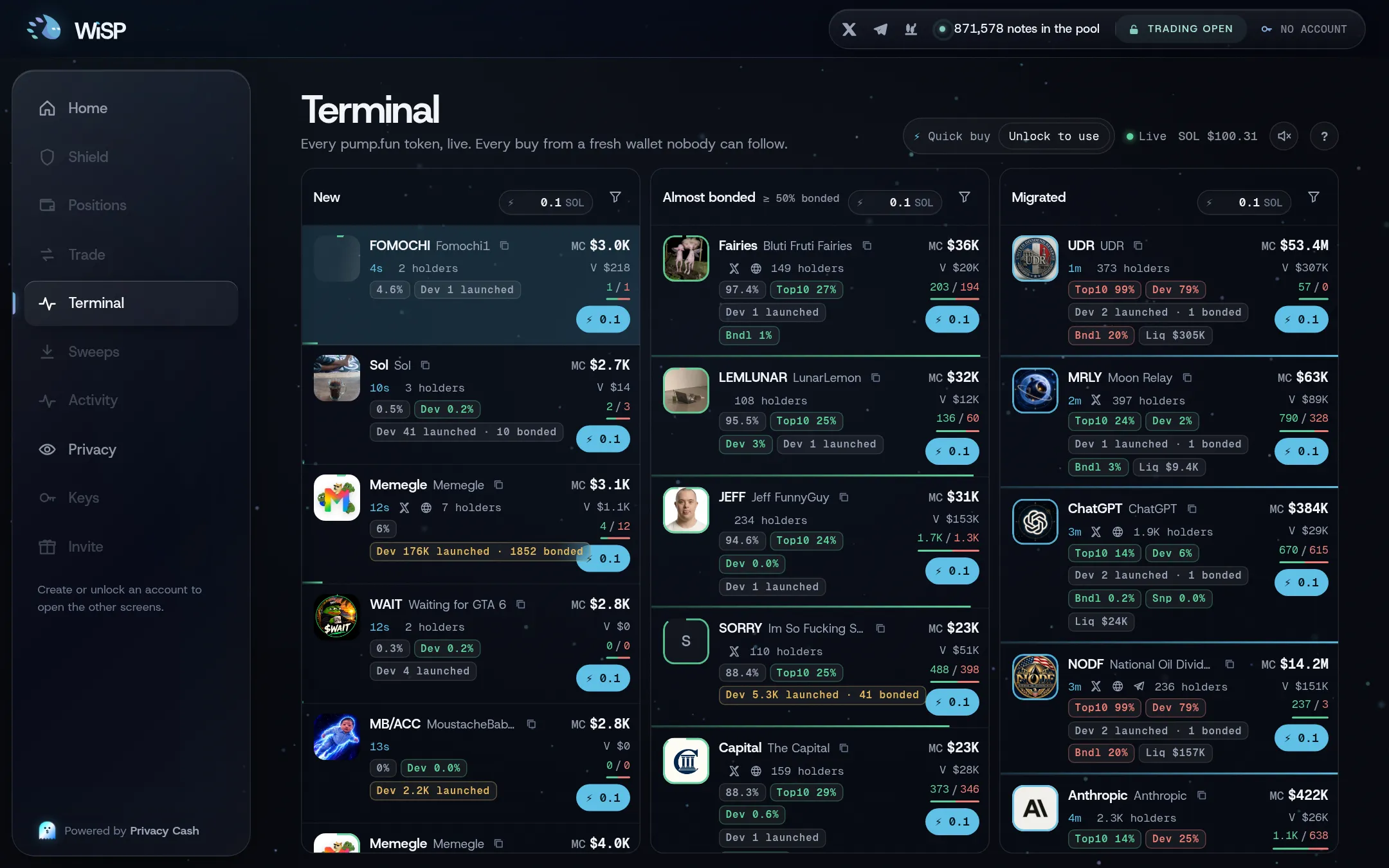
The three columns
| Column | What it shows | Order |
|---|---|---|
| New | Newly created pump.fun tokens, still on their curve | Newest first |
| Almost bonded | Tokens at least 50% of the way along their curve, with a trade in the last 20 minutes. The column header reads "≥ 50% bonded" | Furthest along first |
| Migrated | Tokens whose curve completed and that now trade in a pool. Pools with under $100 of liquidity are left out | Most recent first |
Each column holds up to 40 cards. Tokens with no name and no ticker are left out, and so are the rare curves priced in something other than SOL.
A card
The diagram in words
1, the icon, with a ring showing how far along its curve the token is. 2, the ticker and name, with a button that copies the token's address. 3, its age, its social links (X, website, Telegram) and its number of holders. 4, chips for curve progress, the share held by the top 10 holders, and the share the dev still holds. 5, how many tokens the dev has launched, and how many completed their curve. 6, risk chips for bundled wallets, snipers and insiders, shown only above 0%. 7, market cap, volume, and buys against sells. 8, the Buy button with this column's amount. 9, a progress bar along the bottom.
The chips turn red when a figure looks risky: top 10 above 30%, dev above 10%, a dev with more than 50 launches, or a risk chip above 10%. Hover a chip to read what it measures. See Risk chips.
Tap the card itself to open the token page. Tap Buy to buy; see Buying and selling from a card.
The live feed
The data comes from WiSP's own indexer, which watches every pump.fun curve, plus token details from Jupiter. The board updates once a second. The header shows Live when the feed is current, Catching up… when it is behind, and Reconnecting… if the connection drops. It also shows the SOL price.
The feed is the same for everyone who watches. It runs only while the screen is open and the tab is visible, and the server learns nothing about your wallets from it.
Pause a column
With a mouse, hover a column to hold it still. Its header shows Paused, the order of the cards stops changing, and the figures on them keep updating. Move away and the column catches up. Press P to pause all columns, and again to resume. While P is on, moving the pointer off a column leaves it paused; only P again resumes. Changing a filter applies at once, even while paused.
On a phone
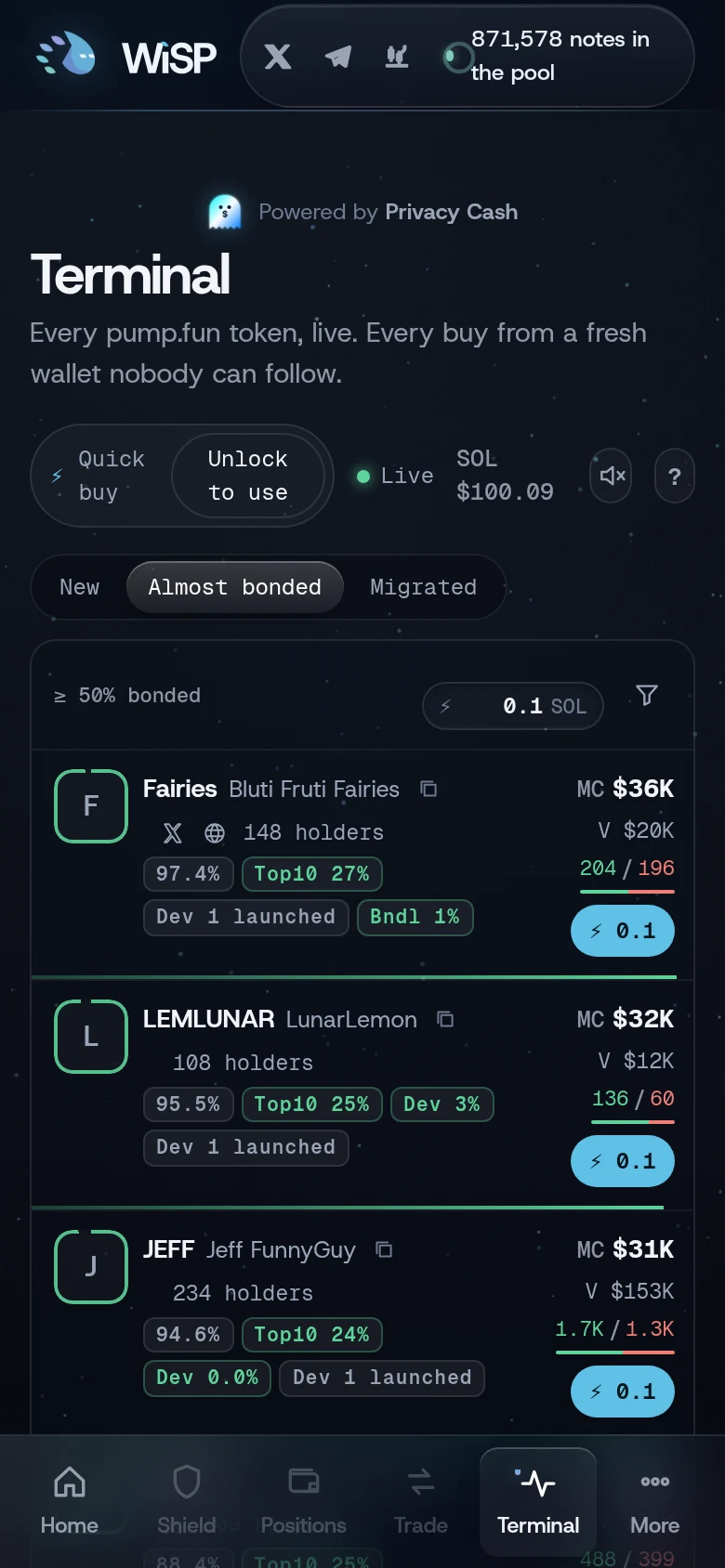
At widths of 1,000 px and less, the columns become tabs: New, Almost bonded, Migrated. The app remembers your tab in this browser.
Related
Last checked against the app: 24 October 2026, build bf09a3f