
Trading
Add to a position
Buy more of a token you already hold. The buy comes from the same wallet, so one token stays in one wallet.
This page is in English.
Steps
- Open Trade and choose the token you hold under You receive.
- Under From, the wallet that holds it is chosen for you: "Wallet 4 · holds 1.2M ABC · 0.31 SOL to add".
- The amount field shows the SOL the wallet holds. Type less to add less, at least 0.001 SOL.
- Tap Review add.
- Check the sheet, titled Buy, and tap Approve and send.
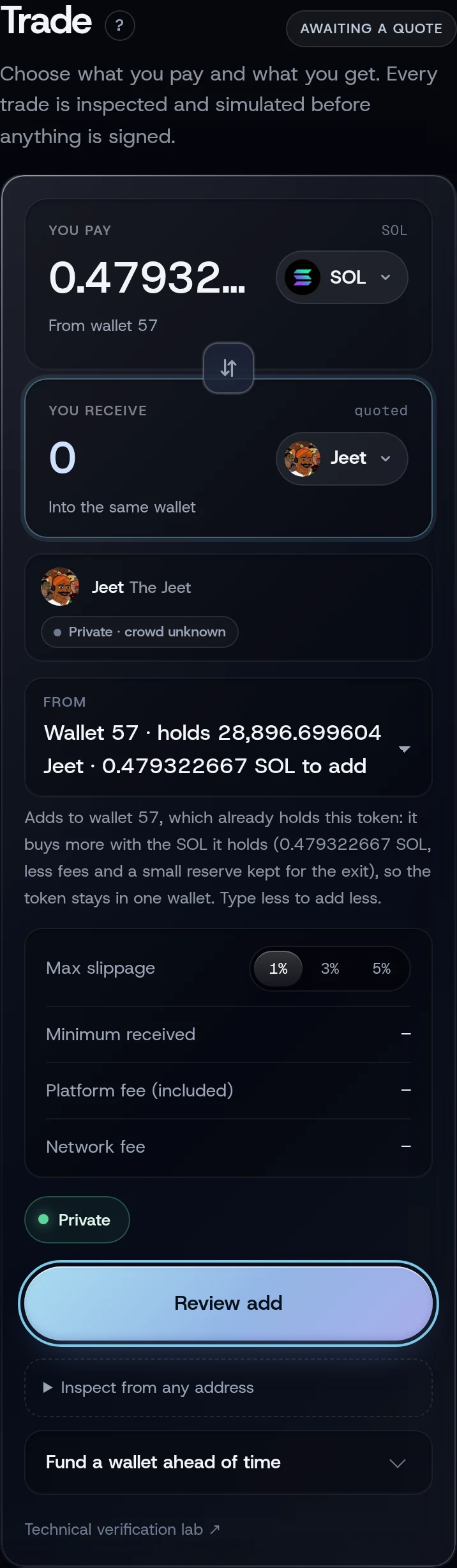
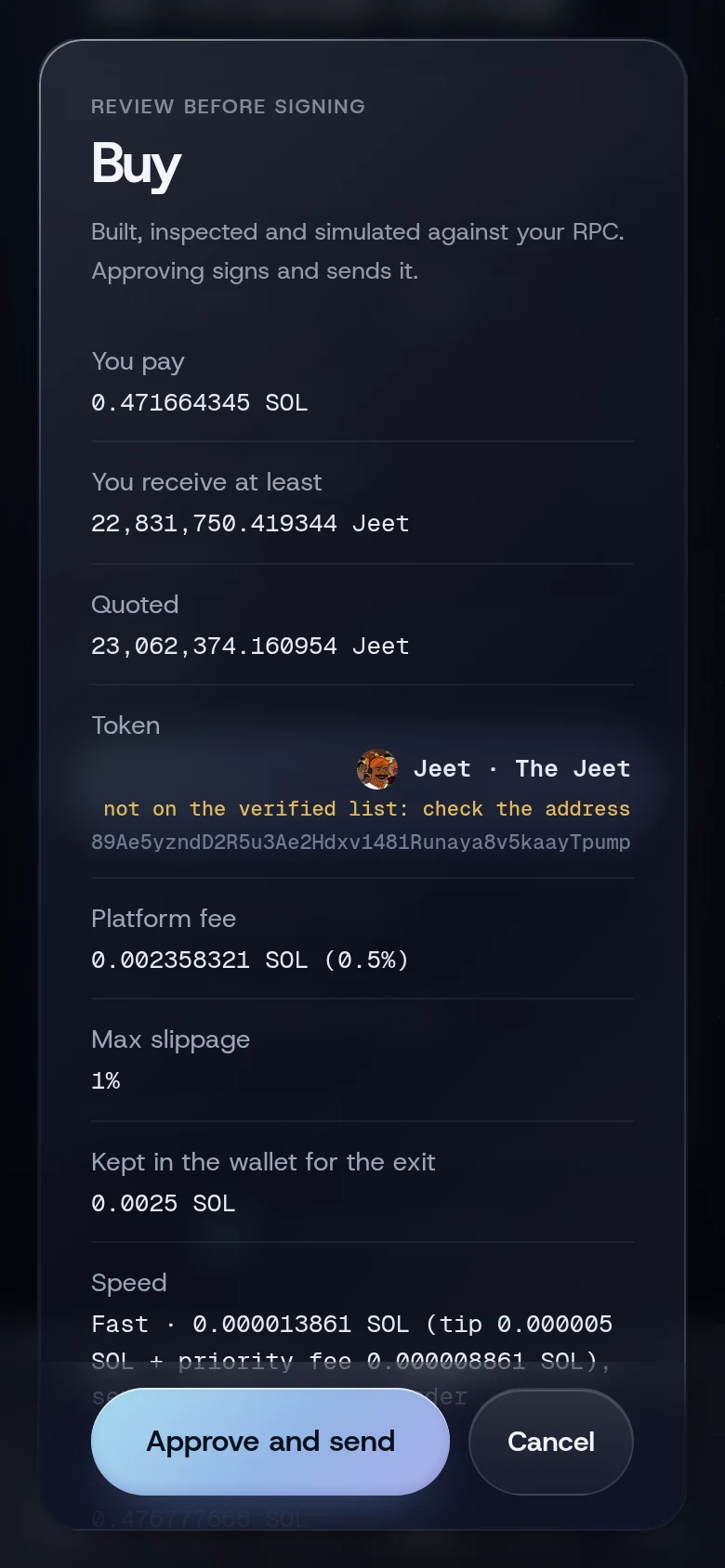
The note under the wallet explains it: the wallet "buys more with the SOL it holds (less fees and a small reserve kept for the exit), so the token stays in one wallet."
Why not a new wallet?
WiSP keeps one token in one wallet. A second wallet buying the same token would be easy to connect to the first, and it would split one position in two. So while a wallet holds a token, no other wallet can buy it, and adding uses the wallet's own SOL. The private balance does not top it up.
To add more than the wallet holds, sell the position in full and buy again from a fresh wallet, or use Quick buy in the terminal, which adds from the holding wallet the same way.
What you will see
The toast reads Bought. The position on Positions shows the larger holding.
If something goes wrong
- "This wallet holds other tokens too; sell or return those first". Someone sent the wallet another token. Sell it or return the wallet from Positions.
- "Burner balance too small to open a position". After fees and the 0.0025 SOL kept for the exit, the wallet has under 0.001 SOL to spend.
- "The wallet holding this token has too little SOL left to add; sell part of it, or add from Trade". Seen in the terminal; see above.
Related
Last checked against the app: 24 October 2026, build bf09a3f