
Account and keys
Use your own RPC
The RPC is the one service that sees all your wallets together, from your IP. Point WiSP at an RPC you pay for, with your own key.
This page is in English.
On this page
Why use your own
Every balance read, token check and trade simulation goes through one Solana RPC. That RPC sees your IP next to your funding address and every position wallet. By default WiSP uses its own Helius endpoint, which is shared by everyone who uses the app. With your own RPC and your own key, that view stays with a provider you chose.
Set your RPC
- Open Privacy (under More) and open Your RPC.
- Paste the full HTTPS URL from your provider, key included, under RPC endpoint.
- Tap Use this RPC.
- Go to Home and tap refresh. The URL is not tested when you save it; a wrong key or a devnet URL only shows up on the next read.
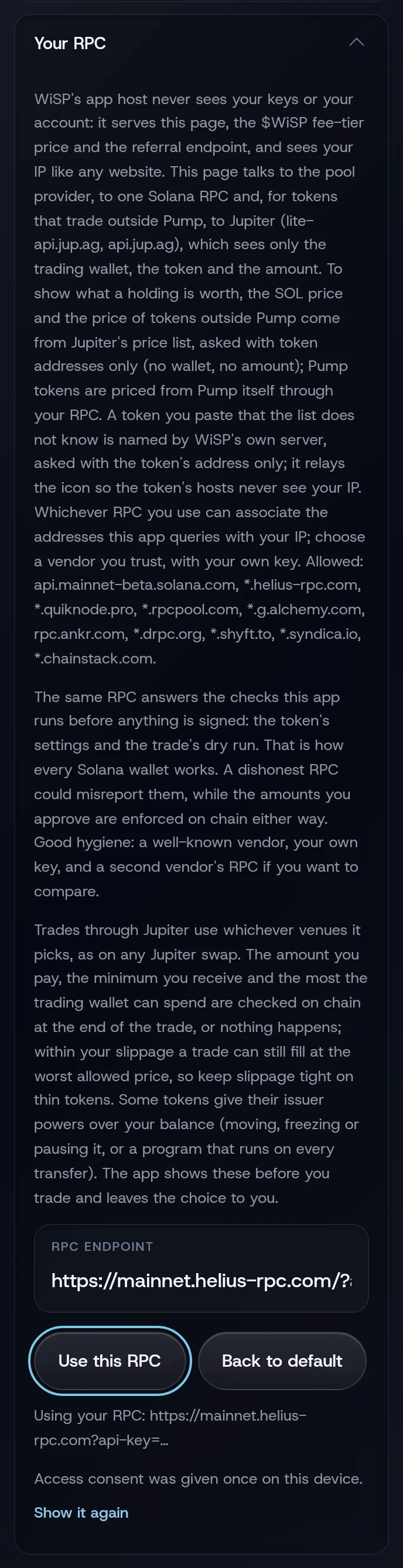
The toast reads RPC endpoint set for this device. and the status line changes to Using your RPC: followed by the address with its key hidden.
Which RPCs work
The address must use HTTPS, with no user name or password in it, and its host must be one of these:
| Provider | Allowed hosts |
|---|---|
| Solana's public endpoint | api.mainnet-beta.solana.com |
| Helius | *.helius-rpc.com |
| QuickNode | *.quiknode.pro |
| Triton | *.rpcpool.com |
| Alchemy | *.g.alchemy.com |
| Ankr | rpc.ankr.com |
| dRPC | *.drpc.org |
| Shyft | *.shyft.to |
| Syndica | *.syndica.io |
| Chainstack | *.chainstack.com |
A * stands for any subdomain. Use the URL your provider gives you, with your own key. A node you run yourself is not accepted yet, on any domain, because the page may only connect to the hosts on this list.
The endpoint also has to:
- serve Solana mainnet;
- accept requests from a browser on the WiSP site (most paid plans do; some free ones block browsers);
- answer the usual read methods (account, balance, token account, signature and transaction reads, simulation) and
sendTransaction.
Go back to the default
Tap Back to default. The toast reads Back to WiSP's default RPC.
If something goes wrong
- "RPC host is not one the app may contact; use a listed RPC vendor or the default". The host is not on the list above.
- "RPC endpoint must be an https URL without credentials".
- "Your RPC refused the request (HTTP 403). Choose another RPC on the Privacy page, then try again." The key is wrong, or the plan blocks browser requests.
- "Your RPC is limiting requests right now." The plan's rate limit was hit. Wait, or upgrade the plan.
- "Saved RPC endpoint was refused; using the default." The saved address no longer passes the rules above.
More on When something goes wrong.
Related
- What stays private, and what does not
- How it works
- Activity, which uses a second RPC to release a stuck transaction
Last checked against the app: 24 October 2026, build bf09a3f