
Trading
Buy a token
Pick a token on Trade, choose which wallet pays, check the review and approve. The buy comes from a wallet that holds nothing else.
This page is in English.
Steps
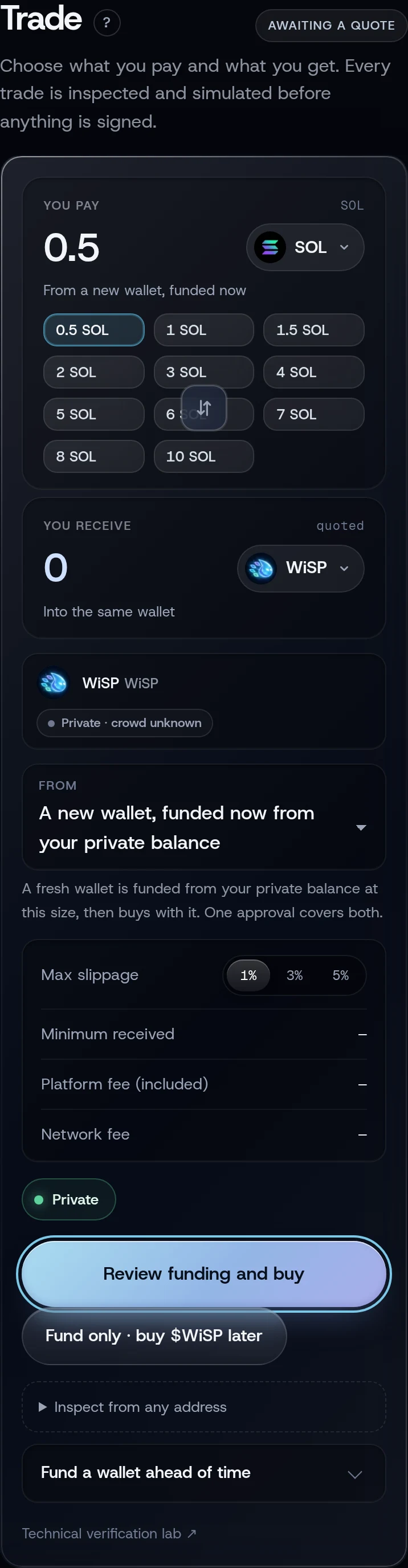
- Open Trade. It starts with $WiSP selected.
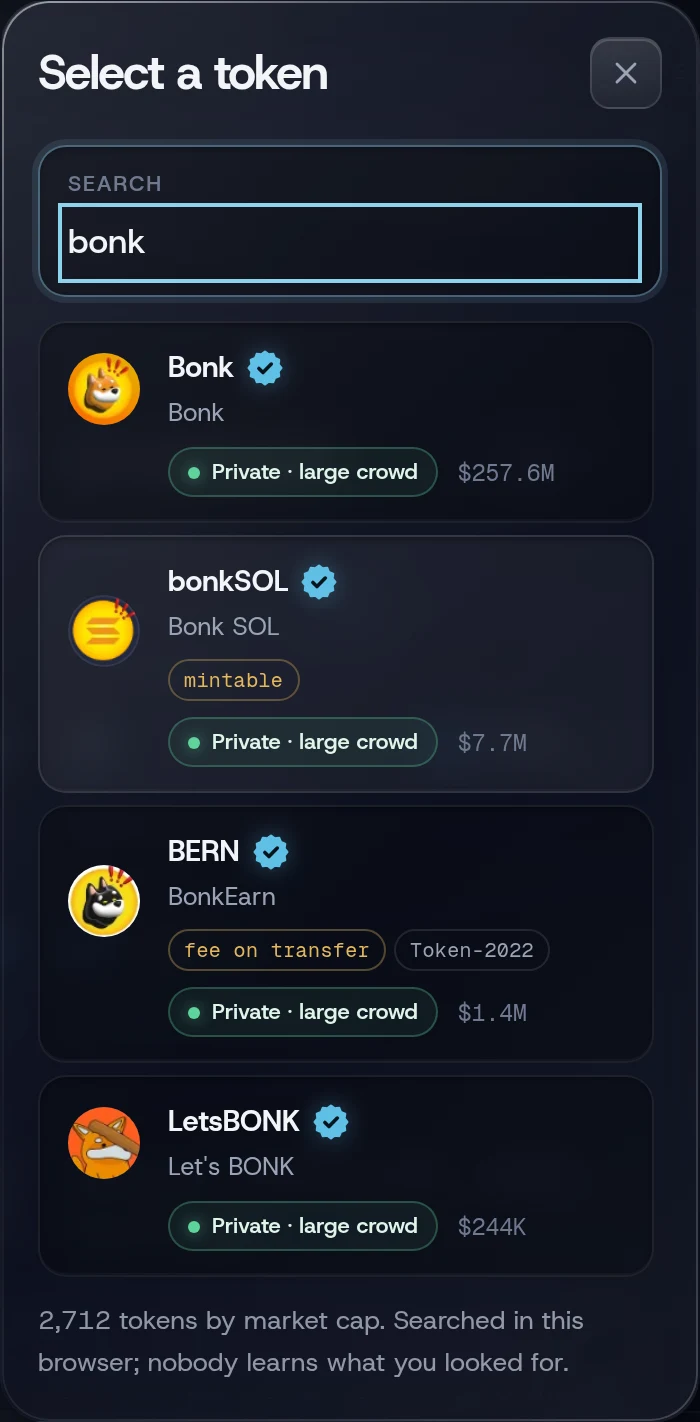
Tap the token under You receive. In the picker, search a name or ticker, or paste a mint address.
Under From, choose the wallet that pays:
- a ready wallet, shown as "Wallet 2 · 0.5 SOL · ready, buys at once". Trade picks one for you when you have one;
- A new wallet, funded now from your private balance. One approval funds it and buys.
Set the amount:
- for a new wallet, tap a size under You pay. Sizes your balance does not cover are greyed out. The size is what the wallet is funded with: the pool fee comes out of it, and the buy spends the rest, less fees and 0.0025 SOL kept for the sale;
- for a ready wallet, the field shows what the wallet holds. Type less to spend less (at least 0.001 SOL), or leave it to spend what the wallet can.
- Under Max slippage, keep 1% or choose 3% or 5%.
- Tap Review buy (ready wallet) or Review funding and buy (new wallet).
- Check the sheet and tap Approve and send before the timer at the bottom runs out.
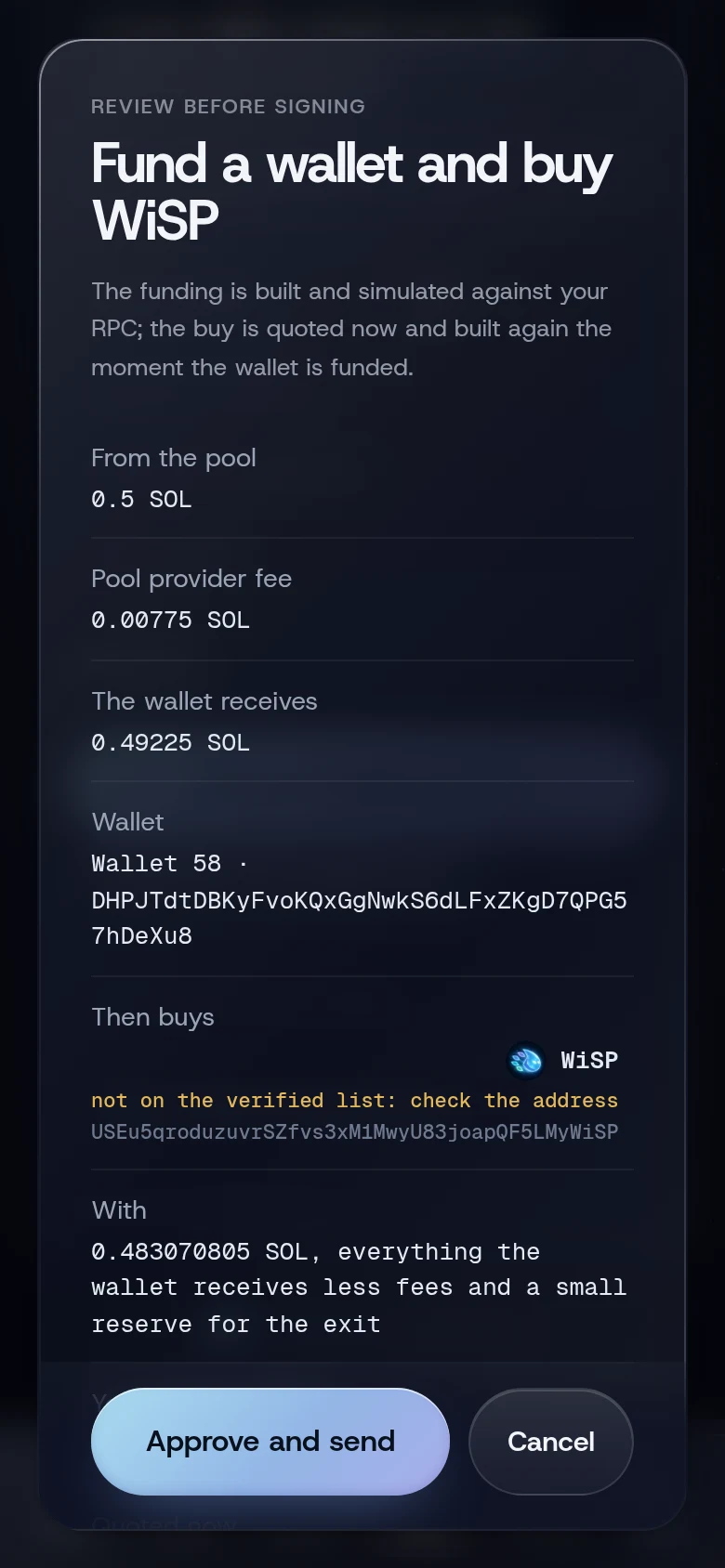
The review sheet
For a buy from a ready wallet, the sheet is titled Buy:
| Row | What it tells you |
|---|---|
| You pay | The exact SOL that goes into the trade |
| You receive at least | The fewest tokens you accept, after slippage |
| Quoted | What the market quotes right now |
| Token | Name, icon and full mint address. "not on the verified list: check the address" if it is not on the token list |
| What the issuer can do | Shown only if the token's issuer has special powers, such as "issuer can freeze your balance" |
| Platform fee | WiSP's fee in SOL and its rate, for example "0.5%" or "0.25%, invite rate" |
| Max slippage | Your setting |
| Kept in the wallet for the exit | 0.0025 SOL left in the wallet to pay for the sale later |
| Speed | Fast or Faster, with the tip and priority fee. Not shown on Standard trades |
| Most this wallet can spend | The ceiling the transaction is built to |
| Trades on | "Pump" for pump.fun tokens, or "Jupiter" with its route |
| Wallet | Which of your wallets, with its address |
For a new wallet the sheet is titled Fund a wallet and buy followed by the token's ticker. It starts with From the pool, Pool provider fee and The wallet receives, then the buy. Its last row explains that the buy runs "as soon as the funding lands, with no second approval, and only within 10 minutes of this review. If the price has moved past your slippage by then, you review the buy at the new price instead."
The footer of every sheet says: "Exactly this plan is sent. If anything changes, it expires and you review a fresh one."
What you will see
From a ready wallet, the toast reads Bought with the transaction's short signature. From a new wallet, it reads Wallet 3 funded. Buying now… and then Bought with the token and the wallet number.
"Bought" means the trade is on chain, final, and saved in your account. The position appears on Positions as HOLDING.
If something goes wrong
- The button reads "a wallet already holds this token". One token lives in one wallet. Choose that wallet to add to it.
- "shield SOL first" or "shield more SOL first". Your private balance is under 0.5 SOL.
- "funding opens in 12 min" (or another number). Your privacy profile waits after each deposit. Wait, or fund ready wallets ahead of time.
- "The quote expired before it was approved; review a fresh one". Tap the review button again.
- "The price moved past the slippage you approved; review the buy at the new price" or "The buy approved with the funding has expired; review it at the current price" after a funding. The wallet stays funded and the buy review opens at the current price: approve it or cancel. Other reasons are listed under The buy that follows a funding.
- "No route for this token right now", "Route service is busy; try again in a moment" or "Route service unavailable". Jupiter cannot trade this token at the moment. Try again shortly.
- "The result is unresolved. Refresh to check its status before retrying." after a funding. Tap refresh on Home. If the wallet is funded but did not buy, choose it on Trade and review the buy again.
More on When something goes wrong.
Related
Last checked against the app: 24 October 2026, build bf09a3f