
Start here
Your first trade in five steps
Make an account, move SOL into your private balance, buy a token from a fresh wallet and sell it again. About ten minutes the first time.
This page is in English.
On this page
1. Open the app and allow network reads
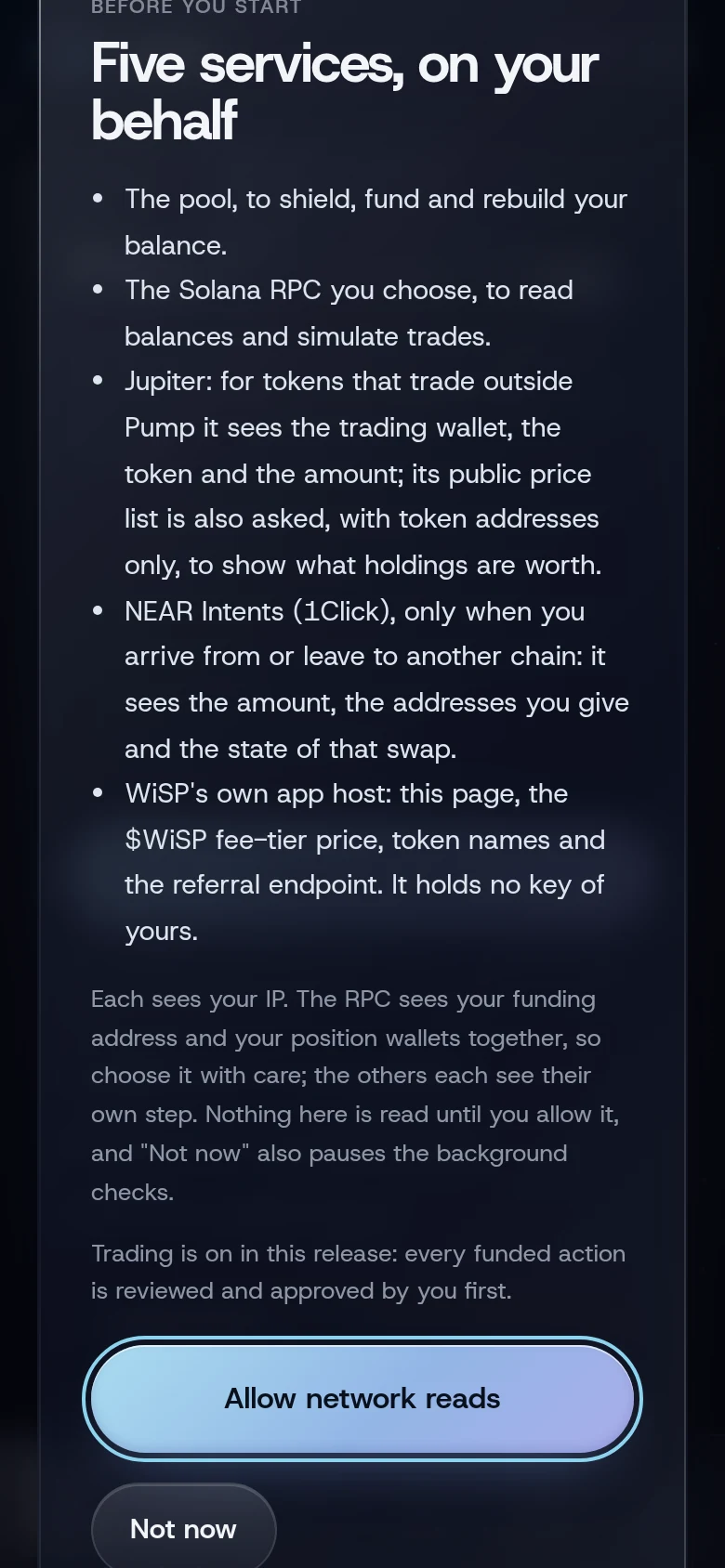
Go to app.usewisp.trade. A sheet called Five services, on your behalf opens first. It lists every service the app talks to and what each one sees. Read it, then tap Allow network reads.
2. Create your account
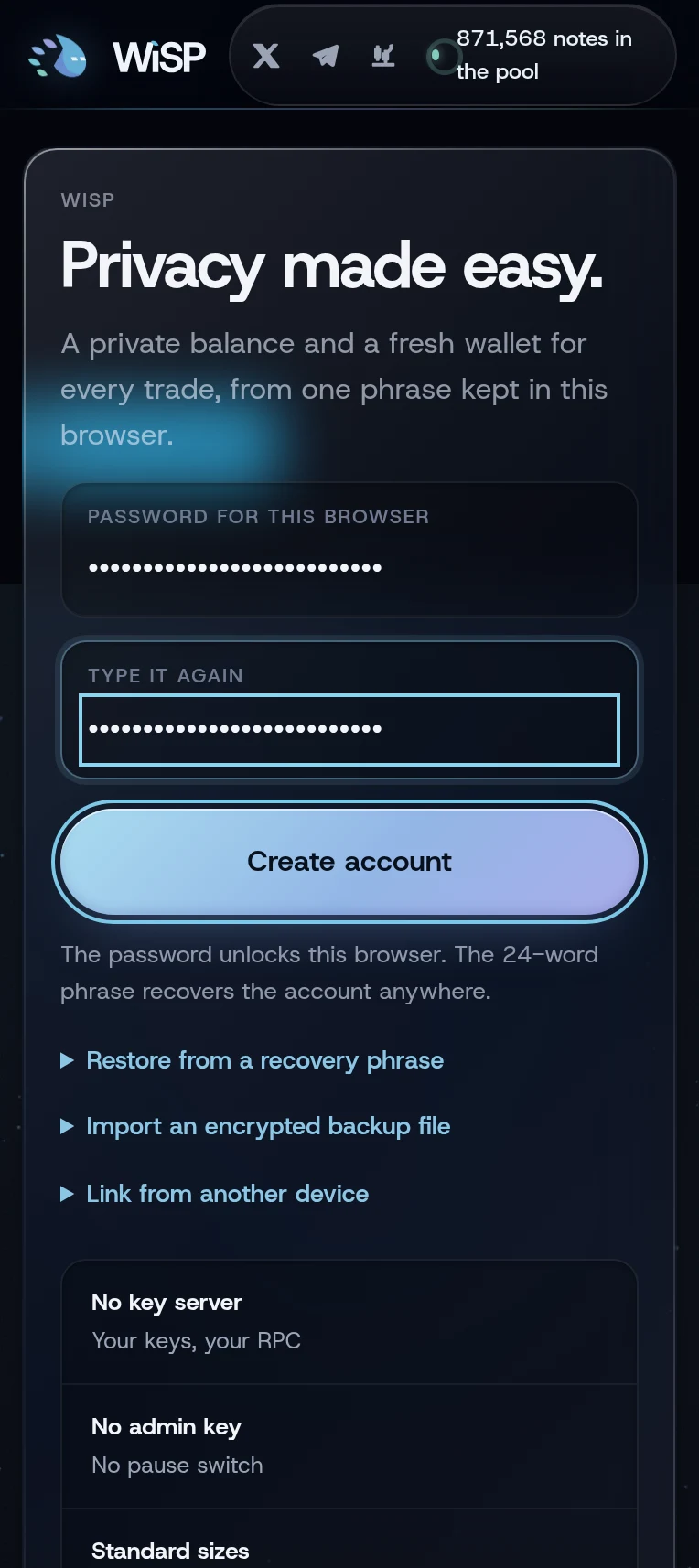
- Type a password of at least 12 characters, then type it again. It locks the account in this browser.
- Tap Create account.
- Save the 24 words that appear. They are the only way back into the account if you lose the password or the browser. Tap I saved it.
- Twelve words from your phrase appear as tiles, shuffled. Tap the first word of your phrase, then the last, and tap Confirm.
More detail: Create an account.
3. Shield SOL
Shielding moves SOL from your wallet into your private balance.
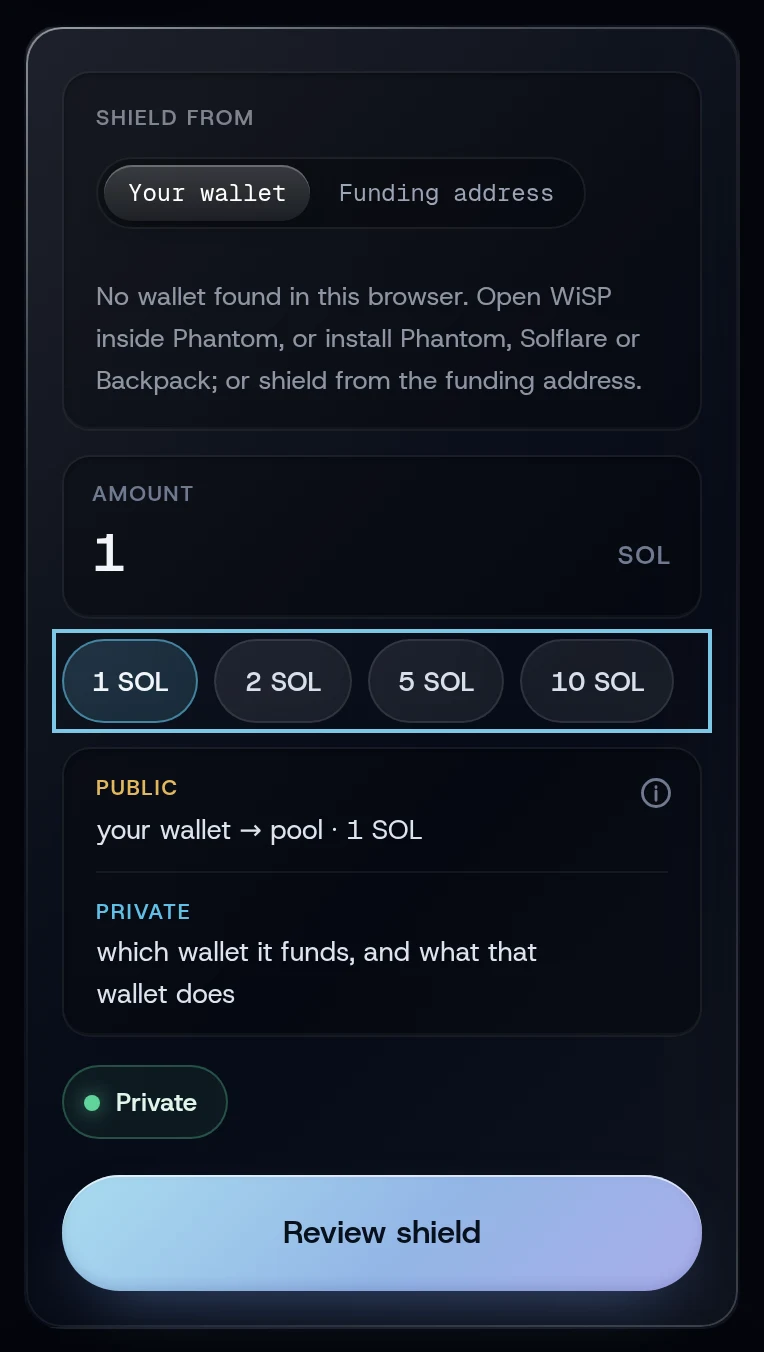
- Open Shield. Under Shield from, keep Your wallet (the other choice, Funding address, is for SOL sent from an exchange) and tap Connect next to your wallet.
- Tap 1 SOL, or type an amount. The smallest trade size is 0.5 SOL, so shield at least that.
- Tap Review shield, check the sheet, then tap Approve and send and approve in your wallet.
When the toast reads Shielded, the SOL is in your private balance.
More detail: Shield SOL.
4. Buy a token
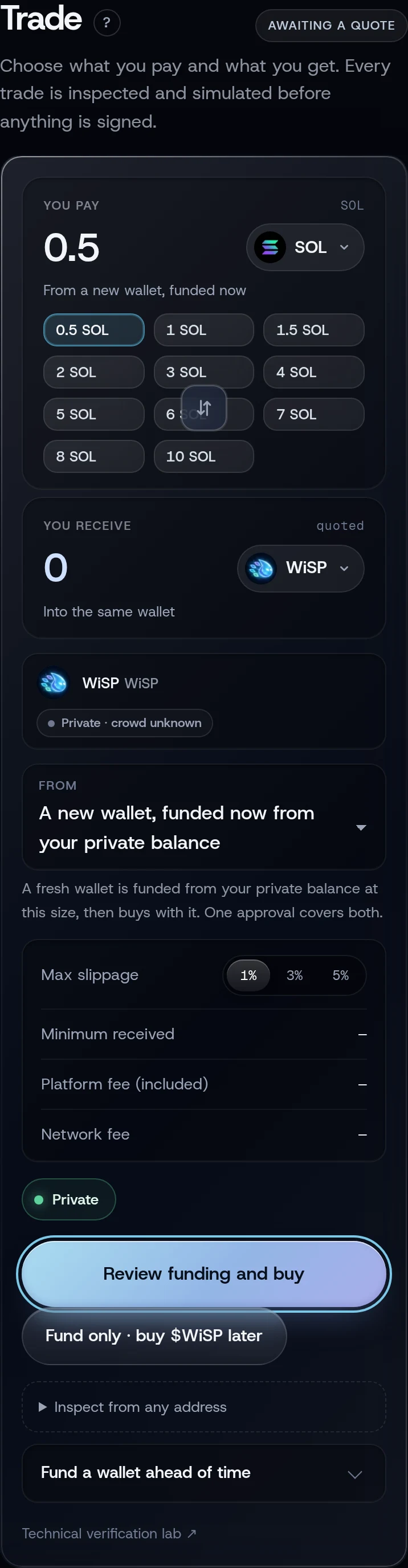
- Open Trade and tap the token button under You receive. A list opens: search a name or paste a mint address.
- Under From, choose A new wallet, funded now from your private balance.
- Tap a size under You pay, for example 0.5 SOL. That is what the new wallet is funded with: the pool fee comes out of it, and the buy spends the rest, less fees and 0.0025 SOL kept in the wallet to pay for the sale later.
- Tap Review funding and buy. The sheet shows the pool fee, what the wallet receives, the token, the fewest tokens you accept after slippage (1% unless you change Max slippage) and the platform fee.
- Tap Approve and send.
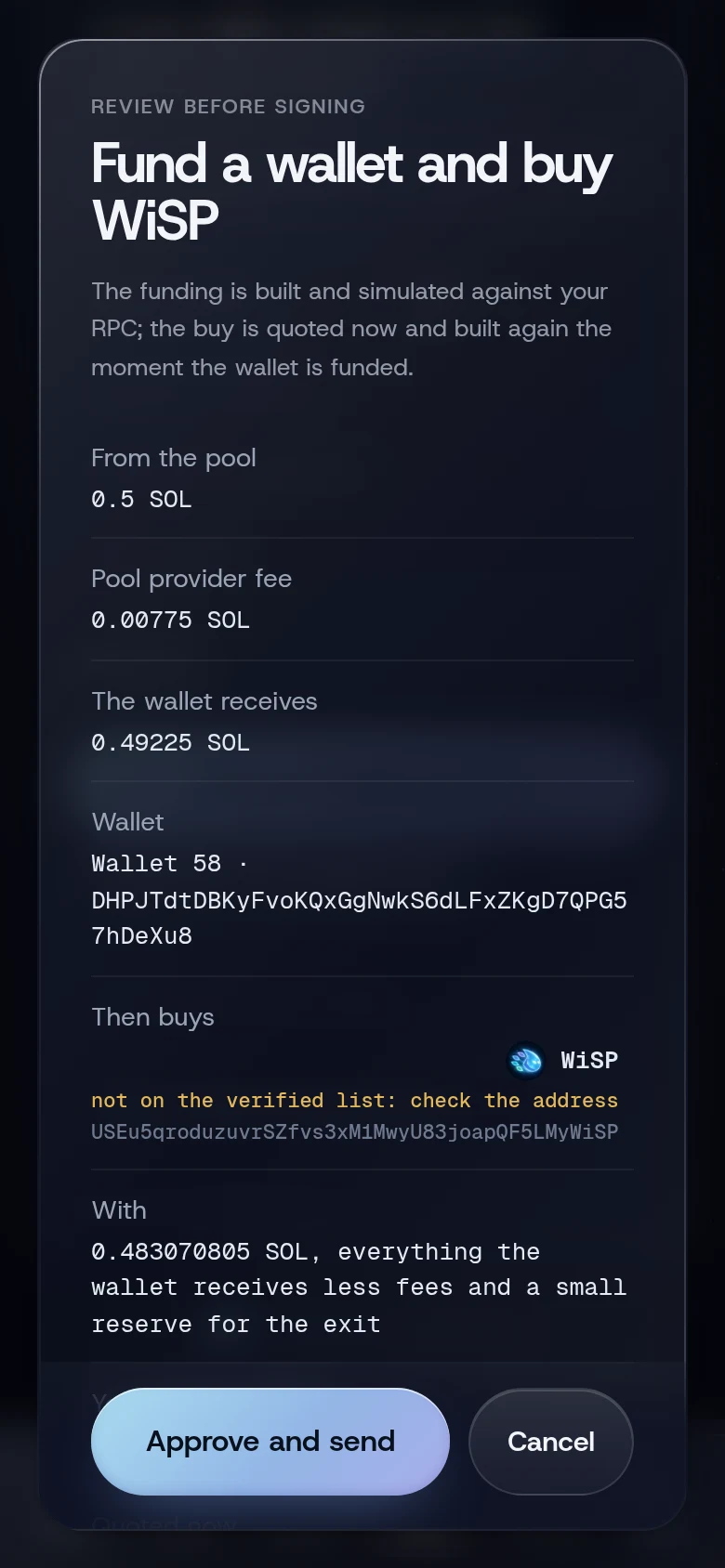
The toast reads Wallet 1 funded. Buying now…, then Bought with the token's name. One approval covers both steps.
More detail: Buy a token.
5. Sell it
- On Trade, tap the arrows between the two amounts so the token moves to You pay. The wallet that holds it is chosen for you, and 100% is selected.
- Tap Review sell. The sheet is titled Sell and return to the pool.
- Tap Approve and send.
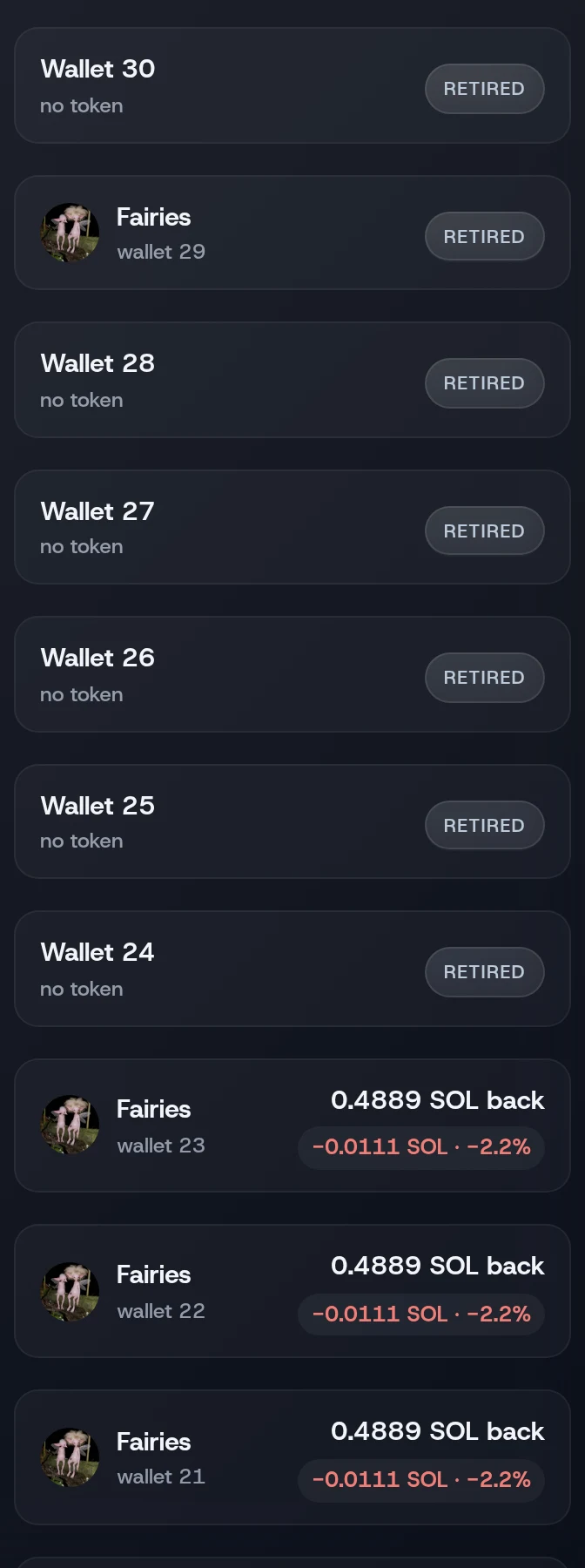
On the default profile, Private · Instant, the SOL goes back to your private balance right after the sale, with no second approval. The wallet then shows as RETIRED under Positions, Closed.
More detail: Sell all or part and Returning SOL to the pool.
If something goes wrong
- The review button reads "shield SOL first" or "shield more SOL first". Your private balance is below 0.5 SOL. Shield more.
- "Your wallet declined the last deposit." The deposit is held for about two minutes until the chain shows nothing landed. Try again after that.
- "Too soon after the previous private transaction; wait a few slots". Wait a second and tap the review button again.
More on When something goes wrong.
Related
Last checked against the app: 24 October 2026, build bf09a3f