
Privacy, fees and $WiSP
Privacy profiles
A profile sets how long the app waits after money enters the pool before it funds a wallet or pays out a withdrawal. A wait makes your timing harder to match. The default does not wait.
This page is in English.
On this page
The diagram in words
Private · Instant has no wait. Private · Steady waits a random time from 5 to 15 minutes. Private · Max waits a random time from 30 to 60 minutes. Private · Custom waits between N and 2N minutes, where you set N; with N at 20 that is 20 to 40 minutes.
The four profiles
| Profile | Funding waits after money enters the pool | A sold wallet returns to the pool |
|---|---|---|
| Private · Instant (default) | No wait | Right after the sale |
| Private · Steady | A random time from 5 to 15 minutes | After a random wait of at least 30 minutes |
| Private · Max | A random time from 30 to 60 minutes | After a random wait of at least 30 minutes |
| Private · Custom | From N to 2N minutes; you set N from 0 to 240 | After a random wait of at least 30 minutes |
"Money enters the pool" means a shield, or a return to the pool from a sold wallet. Each one restarts the wait. The same wait applies to withdrawals from the pool. Custom at 0 minutes funds at once, like Instant, but its returns still wait at least 30 minutes. The random returns are usually a few hours and never more than 24 hours.
What each one protects against
Every profile gives you a fresh wallet for each token, at a standard size, paid from the pool rather than from your wallet. A wait adds one more thing: it makes the timing harder to match.
Without a wait, a shield at 14:02 followed by a pool withdrawal into a new wallet at 14:02 is easy to pair. The pool handles about 42 transactions an hour of every size (measured 15 October 2026), so a wait of 30 to 60 minutes puts your funding among a few dozen others. Waiting is your choice, so the default does not wait.
A good middle path is to fund ready wallets ahead of need on a slow profile: you wait once, then each buy goes out at once.
Change your profile
- Open Privacy (under More).
- Under Your privacy profile, tap Instant, Steady, Max or Custom.
- For Custom, type the minutes next to Wait at least.
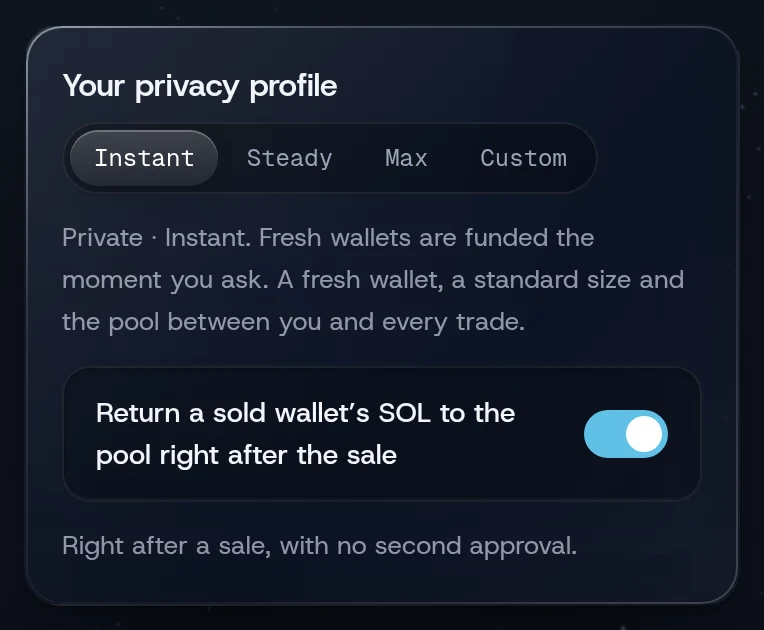
The toast reads, for example, Private · Steady is on. The note under the buttons describes the wait, and the Trade and Shield screens show it too. Your profile is saved in your account on this device; a second device keeps its own.
What a change does to waits already running
- The wait after your last deposit is re-timed under the new profile, from the same random draw. It is not drawn again, so you cannot shorten it by switching back and forth.
- Switching to Instant makes waiting returns due now. If you approved a sale on a slower profile, its return now waits for you to approve it on Positions.
- Switching from Instant to a slower profile gives returns due in the next 30 minutes a new random wait.
- While a funding is in progress the change is refused: "Finish or cancel the withdrawal in progress, then change the profile". Let it finish, or refresh on Home if it seems stuck, then change the profile.
Automatic returns and scheduled funding run only while WiSP is open. A phone that locks the page pauses them until you come back.
Related
Last checked against the app: 24 October 2026, build bf09a3f