
Positions and history
Your positions and portfolio
Positions lists every wallet you funded, what each holds, what it cost and what it made. Above it, the portfolio shows your total value over time.
This page is in English.
On this page
Open Positions. It says: "Your wallets, one per token. Buying on Trade funds a fresh one for you."
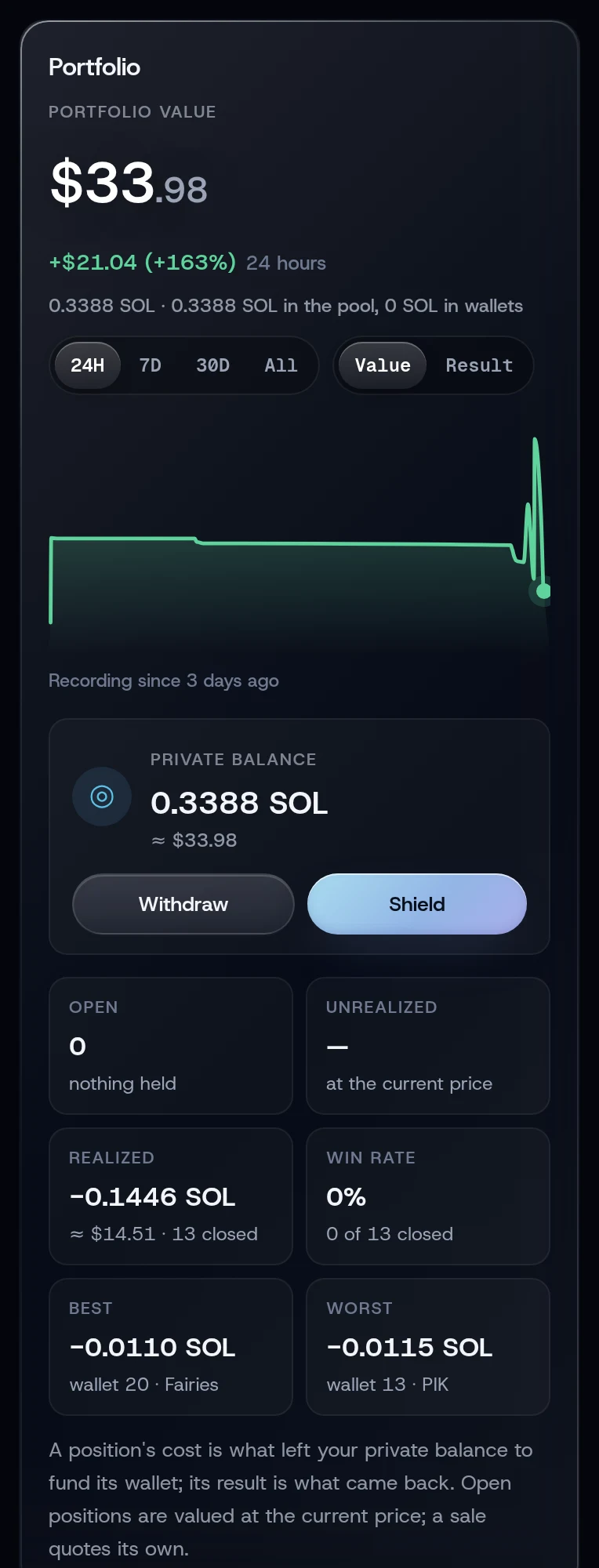
The portfolio
Portfolio value is everything you hold: your private balance plus every open wallet, in dollars when a SOL price is available. The line under it splits it into what is in the pool and what is in wallets.
The chart shows that value over 24H, 7D, 30D or All. Switch Value to Result to plot your result instead. Hover or touch the chart to read a point. The app records a point at most every ten minutes, while it is open, so the chart starts the day you start using it.
The cash row shows your Private balance, with Withdraw and Shield buttons. Below it:
| Figure | What it counts |
|---|---|
| Open | How many positions you hold, and what they cost |
| Unrealized | Result of positions you still hold, at the current price |
| Realized | Result of positions you sold. The note adds, for example, "· 2 sold, SOL returning" while sold wallets wait for their SOL to return to the pool |
| Win rate | Share of sold positions that made money |
| Best and Worst | Your best and worst sold positions |
On Home, the All-time result tile shows the same all-time figure as the chart's Result: closed results plus open positions at today's price. Its note reads, for example, "3 closed · 67% won · open at today’s price".
A position's cost is what left your private balance to fund its wallet, the pool fee included. Its result is what came back. Open positions are valued at the current price; a sale quotes its own. A note such as "2 wallets without a recorded cost" counts positions whose cost the app does not know, usually ones found by a rebuild from your phrase.
The list
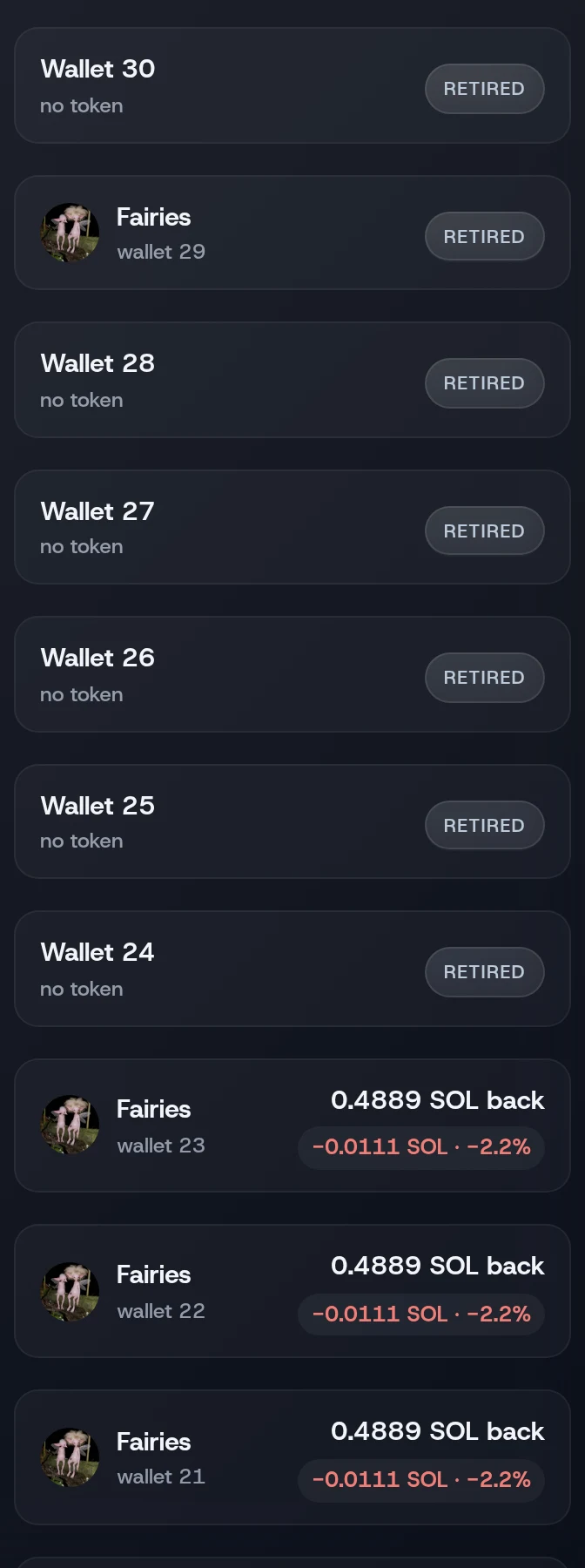
Choose Open or Closed, and sort by Active first, SOL, Value, Result or Number. Each row shows the token (or the wallet's number), what it holds, its value and its result. Tap a row to expand it.
The diagram in words
A fresh wallet is funded from the pool. With no token chosen it shows READY; set aside for a token it shows FUNDED. Fund only and Quick buy's ready wallets enter here. After the buy it shows HOLDING, also after a partial sale. After a full sale it shows PENDING until its SOL returns to the pool. Then it shows RETIRED. A wallet found by a rebuild from your phrase also carries a RECOVERED chip.
| Status | Meaning | Tab |
|---|---|---|
| READY | Funded, no token chosen yet | Open |
| FUNDED | Funded for a chosen token, not bought yet | Open |
| HOLDING | Holds the token | Open |
| PENDING | Sold; its SOL is waiting to return to the pool | Open |
| RETIRED | Its SOL went back to the pool; the wallet is done | Closed |
| RECOVERED | An extra chip: the wallet was found by a rebuild from your phrase | Either |
A PENDING wallet is listed under Open but its result already counts in Realized, and the Realized note counts it as "sold, SOL returning".
An expanded position
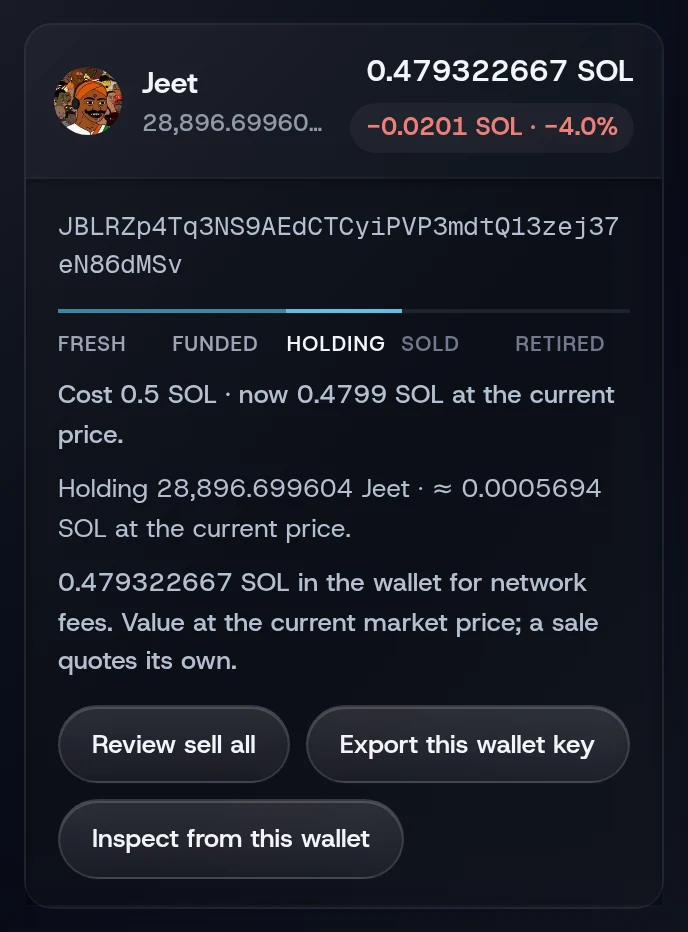
It shows the full wallet address and a line about it, such as "Cost 0.5 SOL · now 0.71 SOL at the current price." or "Round trip: 0.5 SOL out, 0.62 SOL back." Its buttons depend on the status:
- Review buy on a funded wallet, Review sell all on a holding one. Both use the slippage chosen on Trade. Review sell all sells the whole position; to sell a part, use Trade.
- Return to the pool on a ready or funded wallet, or Return to pool on a sold one.
- Return the SOL, leave the tokens when a wallet holds tokens WiSP cannot sell. See Returning SOL to the pool.
- Export this wallet key, to open it in another wallet app. See Wallet keys.
- Inspect from this wallet, a dry run of a buy that signs nothing.
Related
Last checked against the app: 24 October 2026, build bf09a3f